
Shopping online through classifieds marketplaces makes it easier than ever to find great deals on smartphones, laptops, cameras, vehicles, and home appliances across Nigeria. Whether you are shopping in Benin City, Lagos, Abuja, or Port Harcourt, following a few simple safety habits ensures every transaction goes smoothly.
At Bestseller Nigeria (https://bestseller.com.ng), operated by Talented Media Plus Services, buyer and seller safety comes first. Before you pay for any item online, keep these seven practical rules in mind:
1. Always Inspect and Test the Item in Person
Never rely solely on photos when buying high-value items like phones, cameras, laptops, or cars. Arrange to meet the seller physically so you can inspect the item’s body condition, test all buttons and cameras, check battery health, and confirm it works as advertised before parting with your money.
2. Never Pay Deposits or Delivery Fees in Advance
Be cautious of any seller who demands a “commitment fee,” “waybill deposit,” or full bank transfer before you have seen the item in person. Legitimate local sellers will gladly agree to a physical inspection before payment.
3. Meet in Safe, Busy Public Places
Choose a well-lit, public meetup spot during daytime hours—such as a busy shopping mall, a bank premises, or a public plaza with security personnel nearby. Avoid isolated streets or private residences, especially when carrying cash or inspecting expensive gadgets.
4. Verify Receipts, Cartons, and Ownership Documents
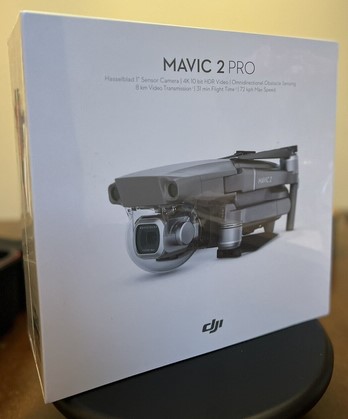
When purchasing electronics or vehicles, ask the seller for the original purchase receipt, factory box/carton, or valid ownership papers. For iPhones and Android devices, confirm that iCloud or Google FRP locks are completely signed out before completing the purchase.
5. Compare Prices Against Current Nigerian Market Rates
If a deal looks far too cheap compared to similar listings on Bestseller Nigeria, treat it as a red flag. Scammers often advertise brand-new flagship phones or laptops at unrealistically low prices to lure rushed buyers.
6. Confirm Bank Transfers Directly Inside Your Banking App (For Sellers)
If you are selling an item, never release your product based only on an SMS alert or a screenshot shown on the buyer’s phone. Log into your own mobile banking app to confirm the funds have actually settled in your account before handing over the item.
7. Report Suspicious Listings Immediately
Help keep Bestseller Nigeria safe for everyone. If you notice a misleading advert or suspicious user, click the Report Abuse button on the listing page or send the link directly to support@bestseller.com.ng so our moderation team can investigate and take swift action.
Ready to explore verified local deals or list your own items for free? Visit Bestseller Nigeria today to buy and sell safely across Nigeria!

Leave a Reply